
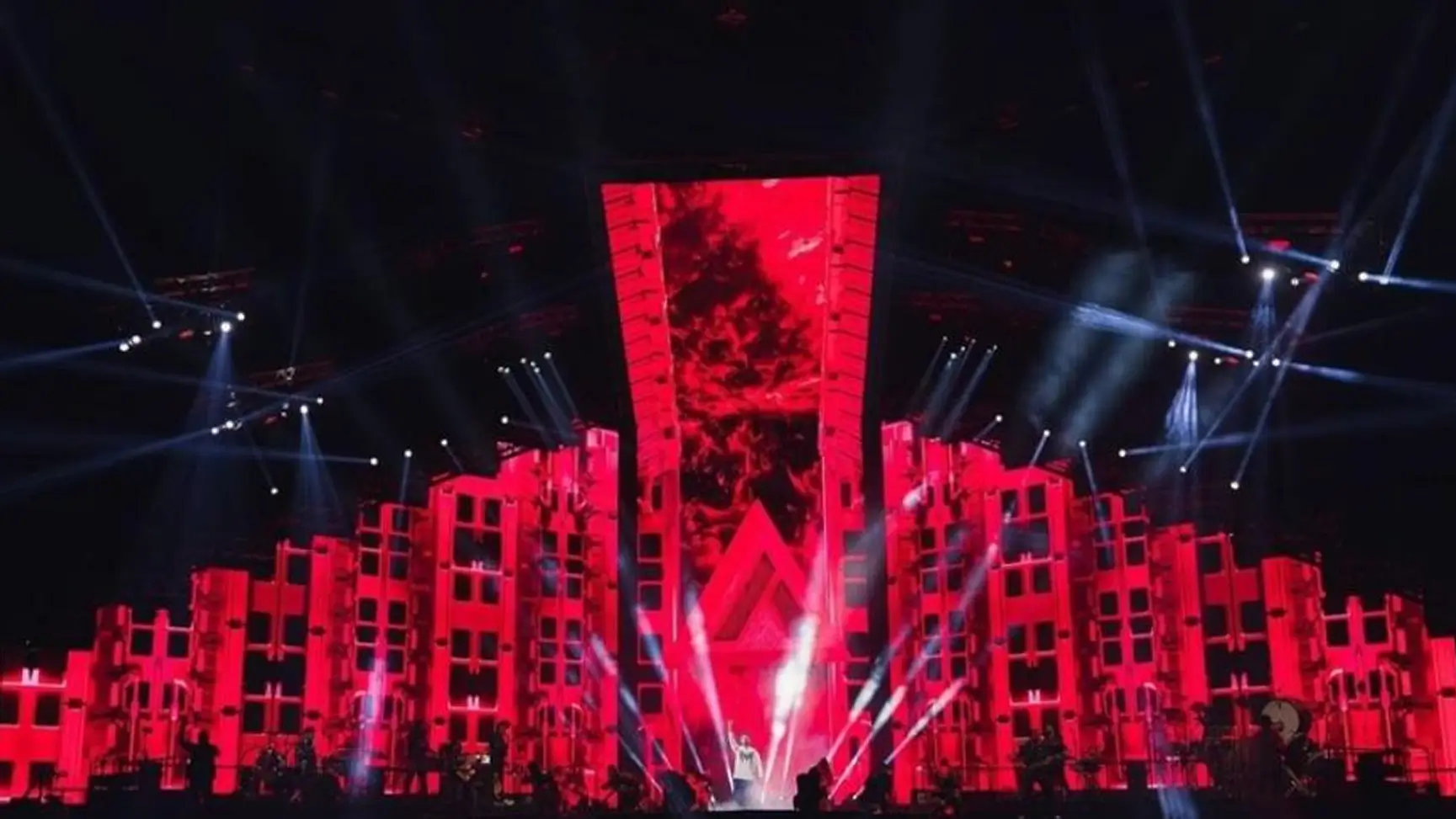
Real-time generative visuals are graphics that a computer builds live, as the music plays, instead of a video that was finished weeks earlier. Here is what that looks like on stage.
Picture a band playing the same song on two nights in a row. Same setlist, same stage, same lighting rig. Now picture the screens behind them. On night one, a storm of particles bursts apart on the drop. On night two, the burst is slower, wider, tinted a different colour, because the drummer held the fill a beat longer and the crowd was louder.
Neither version was planned. Both were generated in the moment. That is what real-time generative art does, and it is the reason a lot of modern concert visuals can honestly claim that no two shows look the same.
Most concert content is still pre-rendered. A designer builds an animation, exports it as a video file, and the file plays on cue every night. It can look incredible, and for tightly choreographed shows it is often the right call: a fixed setlist, a locked running order, cinematic detail that would be too heavy to render live, or a broadcast where nothing can be left to chance. But it is fixed. If the artist extends a solo or skips a verse, the video does not know. It just keeps playing.
Generative visuals work differently. Instead of playing a finished video, the system builds the image live, frame by frame, from rules the designer has set up. Think of it as giving a visual world its own physics and personality, then letting the music push it around. The designer decides what the world looks like and how it behaves. The performance decides what actually happens inside it.
Because the visuals follow the sound rather than a timeline, they absorb changes without anyone re-editing anything. If the drummer holds a fill for four extra beats, the build-up stretches with it. If the band plays a song faster or drops one, the visuals go with them. That makes generative the better fit for bands that improvise, DJ sets, festivals, and tours where the setlist changes from night to night.
That difference is why the same visual setup can look different every single night.
This is the part most people never see. Generative visuals need inputs, the signals that tell the system what is happening on stage. There are more of them than you would expect.
Audio is the obvious one. The system listens to the sound and splits it into parts it can react to: the thump of the kick, the sustained bass, the sparkle of the high notes, and the overall loudness. A bass hit can push a shape outward. A rising synth can shift the colour palette.
Tempo is the speed of the song in beats per minute. Once the system knows it, movement can lock to the beat, so a pulse lands exactly where the crowd expects it.
Live cues come from people. A musician can trigger a change from a pad or keyboard, and the VJ can switch scenes, raise the intensity, or bend the look with knobs and faders as the set evolves.
Then there are the less obvious sources. Motion sensors pick up movement on stage. Cameras can track where a performer is standing or how the crowd is moving, and the visuals can respond to that position or movement.
Here is how one input plays out. Say the system is listening to the kick drum, and every kick sends a ring of light outward from the centre of the screen. A soft kick makes a small ring and a hard one fills the screen. On night one the drummer plays tight, and the rings stay small. On night two the crowd is louder, the drummer hits harder in the final chorus, and the rings sweep across the whole stage. The designer changed nothing. The input did.
None of these inputs repeats exactly. Which is the point.
So how does it come together in practice? Here is the simple version.
The visuals live inside real-time engines, which create and render graphics instantly instead of exporting them as a video first. If you have ever watched a game render a scene as you move through it, the idea is the same. Notch and TouchDesigner are two of the best-known tools. Notch is often used for 3D scenes, particles, and lighting-style effects that need to look polished on a large screen. TouchDesigner is built around connecting things together, so it is strong at taking in audio, sensor, and camera signals and routing them into the visuals. Which one a team uses depends on the show, and some teams use both.
The designer builds the visual world and its rules in advance, in one of those tools: how fast particles move, how a shape responds to bass, which colours appear when the track gets intense. The audio and other inputs are then plugged into those rules, and the engine sends the finished image to the screens in real time.
During the show, the VJ sits at a console and acts as the live layer on top. They are not just pressing play. They are reading the room, the artist, and the music, and adapting the visuals as it happens. A calm intro might call for slow, drifting shapes. When the energy spikes, they push intensity up. If the artist stretches a moment, the VJ stretches the visual to match. If something unplanned happens, like a surprise guest or an extended encore, the VJ is the one who steers the look through it.
It is closer to playing an instrument than operating equipment. The system gives them a huge range of looks, but timing and taste still come from a person who is paying attention.
The difference starts with timing. When visuals react to the music, the sound and the stage read as one event instead of two things happening at once. A massive drop hits and the screen answers at that exact instant. When visuals are pre-timed and slightly off, even by a fraction, the link between what you hear and what you see weakens.
It also changes how the stage is designed. When the screens, lighting, and set pieces respond to the same signals, the stage stops being a backdrop and starts behaving like part of the band. A designer can plan for that, for example by having an LED wall and the lighting rig react to the same kick drum, so the whole stage hits together.
For artists, it means freedom. They are not locked to a fixed script. They can extend a track, change the order, or improvise, and the visuals follow.
For promoters, it means each date can have its own character. Whether it is a VJ concert in the UAE or one stop on a long tour, fans who catch more than one show do not see a copy of the last one.
Real-time visuals are not simply a better version of pre-rendered ones. They come with demands. The hardware has to be powerful enough to render at a high frame rate without stuttering. The system needs careful testing, ideally with the real band or recordings of them, because a system reacting live can behave in ways nobody expected. And it needs someone experienced running it, because there is no video file to fall back on if something goes wrong. Good teams also build in backups, such as a second machine ready to take over.
Many productions solve this by mixing both. Key moments that need to be exact, like an opening sequence, a big reveal, or a cinematic piece with heavy detail, are pre-rendered. The rest of the set is live. That gives the safety of a locked sequence where it matters and the energy of live visuals everywhere else.
Good generative stage design is not about adding more effects. It is about building a visual world with enough character to stay recognisable, while leaving enough room for the music to change it. The designer’s job is to decide the boundaries. The performance fills in the rest.
Imagine a headline set where the artist decides mid-show to stretch the final song by three minutes. A pre-rendered finale ends on schedule while the music carries on without it. A generative one keeps building, because it is following the sound. The artist gets the moment they wanted, and the screens are still part of it.
That only works when creative direction and technical execution are planned together. The creative side decides what the world looks like and how it should feel when the music changes. The technical side makes sure it still runs late at night in front of thousands, with the right inputs, the right hardware, and a backup if something fails. A beautiful look that drops frames ruins the moment, and a stable system with no point of view is forgettable.
That is the approach we take at Pixadoo when we build concert visuals: design the world carefully, then leave space for the night to shape it. If you are planning a concert or tour and want visuals that respond to the performance, our concert and stage work shows how we approach it.